
Digital Accessibility: student-created resources for QMUL
/filters:format(webp)/prod01/channel_389/technology-enhanced-learning-team/media/telt/images/Digital-Accessibility-online-training.png)
A person typing on a laptop with the words "digital accessibility" on the screen
As we know, Digital Accessibility isn't just a legal requirement - it's the foundation of inclusive education. When we design and share content online that everyone can use, we remove barriers to learning and participation. As part of our 2030 Strategy, QMUL aims to be "the most inclusive university of its kind, anywhere". Therefore, we need to commit to making sure all students, regardless of ability or circumstance, can access and engage with their learning materials.
Why Accessibility Matters
Our students use digital resources in diverse ways. Some rely on screen readers to read lecture notes aloud, others use captions to follow recorded sessions, and many adjust font size, colour contrast, or playback speed on a video, to suit their needs.
Accessible materials benefit everyone - not just those with disabilities.
Accessibility supports:
- Equity: every student has an equal opportunity to engage with content.
- Flexibility: students can access learning in different contexts and on different devices.
- Engagement: clear, well-structured content helps all learners focus on what matters most.
Student-Created Resources
To help staff understand the importance of accessibility from the student perspective, our TELT Student Ambassadors have developed an amazing set of resources aimed at both students and staff, demonstrating how they use technology and what a difference accessibility makes.
In this video, one of the ambassadors shows us how she uses lecture recording transcripts to produce an eBook for revision purposes:
The video showcases the use of Sensus Access: a self-service portal to convert documents into a range of alternate media. Sensus Access can be used by both staff and students, and is accessed via a web browser, or directly within QMplus, as shown here:
It's great to see the students combining personal experiences with digital storytelling, why accessibility matters, and how thoughtful design can transform learning. Their work reminds us that accessibility isn't just a rule to follow, but a daily reality that directly affects how they learn and contribute.
You can explore more student-created resources on our Digital Accessibility and Learning Materials QMplus area. And don't forget to have a look at our Digital Accessibility Playlist, with additional video resources.
How You Can Make a Difference
Even small changes can have a large impact:
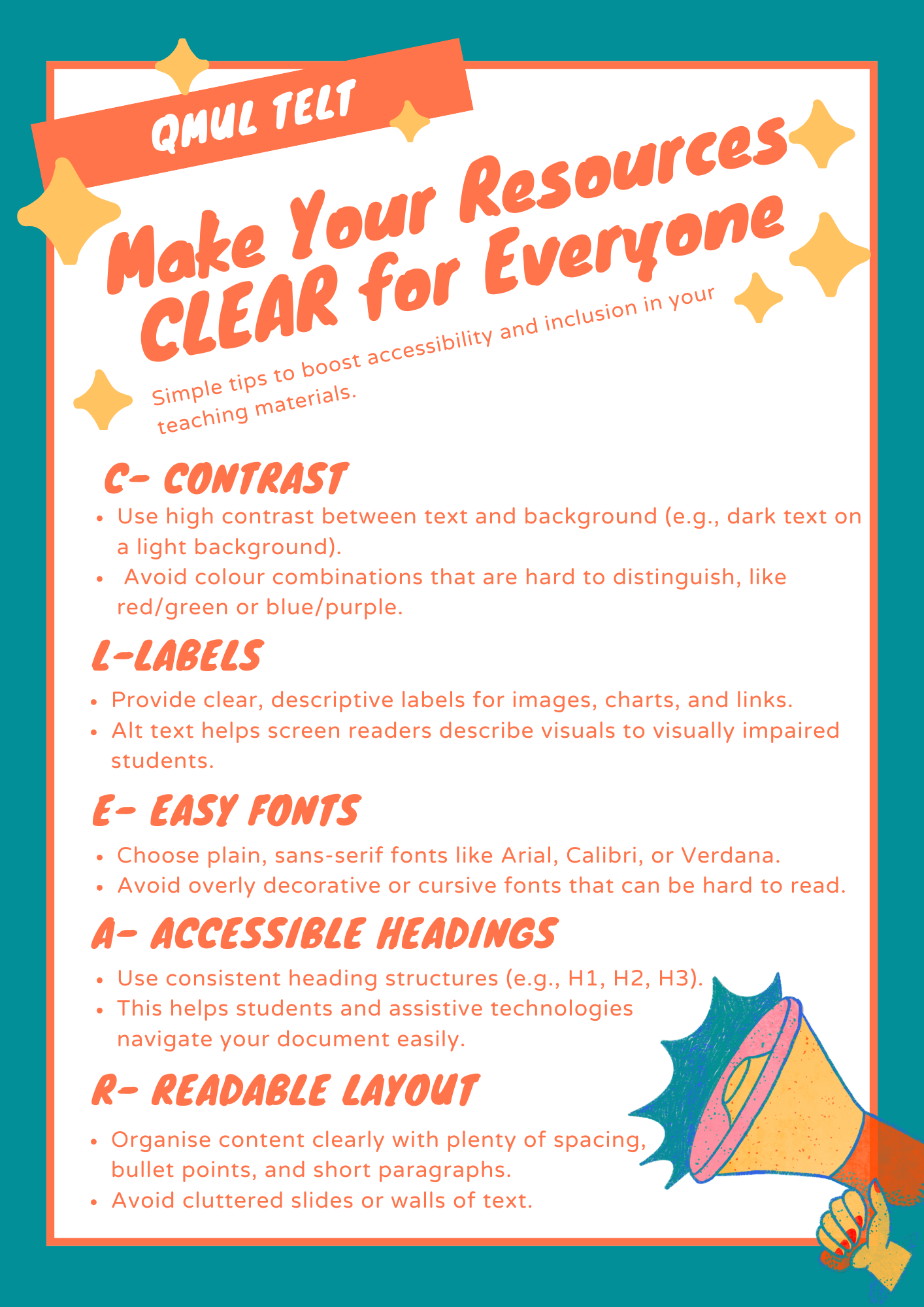
- Use heading styles to structure your documents and slides.
- Add alternative text (alt text) to images.
- Ensure sufficient colour contrast between text and background.
- Provide captions or transcripts for video and audio content.
- Share editable files rather than scanned PDFs.
And as our students remind us, remember to make things CLEAR.
Further Support
Digital Accessibility isn't just about compliance - by embedding accessibility into our everyday practice, we ensure that every student can succeed.
There is lots of guidance and support available on our website and QMplus.
- QMUL Accessibility Hub: for help with public-facing online content.
- Brickfield QMplus area: to learn about the Brickfield Toolkit and how it can help you with your QMplus courses.
- Digital Accessibility and Learning Materials: a QMplus area that introduces you to digital accessibility, with supporting resources to make your content accessible.
/filters:format(webp)/prod01/channel_262/queen-mary-university-of-london/media/qmul/media/news/items/pr/SML-badge-large.png)
 News story: