
Mentimeter - better questions, better learning
A recent Mentimeter webinar discussed "brain-friendly" questions, and looked at Menti using the Bloom's Taxonomy framework.
/filters:format(webp)/prod01/channel_389/technology-enhanced-learning-team/media/telt/images/menti-3.png)
Mentimeter logo
Several members of the TEL Team attended a recent Mentimeter webinar workshop. The presenters (from Mentimeter) focused on designing "brain-friendly" questions, and creating questions for different levels of learning using Bloom's Taxonomy.
How to make questions "brain-friendly"
We dived straight in with a question to the group. An initial poll found that the most common Mentimeter question used is the Multiple Choice question, followed closely by the Word Cloud question. But what if we are over-using these question types?
Student responses are only going to be as insightful as the question asked.
If we want to get good insights from our students, we should invest a little time and creativity into producing engaging questions. Many of the Mentimeter questions we currently use (Multiple Choice, True/False) are potentially holding us back. How much information can we get from students when asking a True/False question, for example? Using the Multiple Choice question as another example (or a recall-only question), if a student successfully recalls knowledge, does this mean they have engaged with or understood the information?
Brain-friendly learning involves strategies that align with how memory and cognition actually work. How we work.
Characteristics of brain-friendly questions
- Clear and simple: easy to understand questions reduce cognitive overload and allow students to focus on the actual content rather than decoding the wording.
- Relevant: when a question connects to prior knowledge or real-life applications, it triggers stronger neural pathways.
- Vary in format: as mentioned, when we over-use question types, it could lead to disengagement. When we vary our format we activate different areas of the brain and our memory.
- Connected to emotion and trigger curiosity.
So what sort of questions can we ask to keep students engaged? We can ask 'retrieval practice' questions, which is a learning strategy where students are asked to actively recall information from memory, instead of passively reviewing it. Some examples:
- What was your main takeaway from the last lecture?
- List 3-5 things you learned from the last session.
- What connections can you make between last week's material and today's topic?
- What is a real-world example of the topic we discussed last time?
Think about your own teaching. What might a brain-friendly question look like in your subject area?
Designing questions for different levels of learning (Bloom's Taxonomy)
What is Bloom's Taxonomy?
As most of you will know, Bloom's Taxonomy is a framework that helps us understand the levels of thinking involved in learning. It is often shown as a pyramid, with basic thinking skills at the bottom, and more complex ones at the top. The idea is that deep learning happens when you move up the pyramid - you're not just memorising facts, but understanding, applying, and creating new ideas.
Using Bloom's Taxonomy in Mentimeter
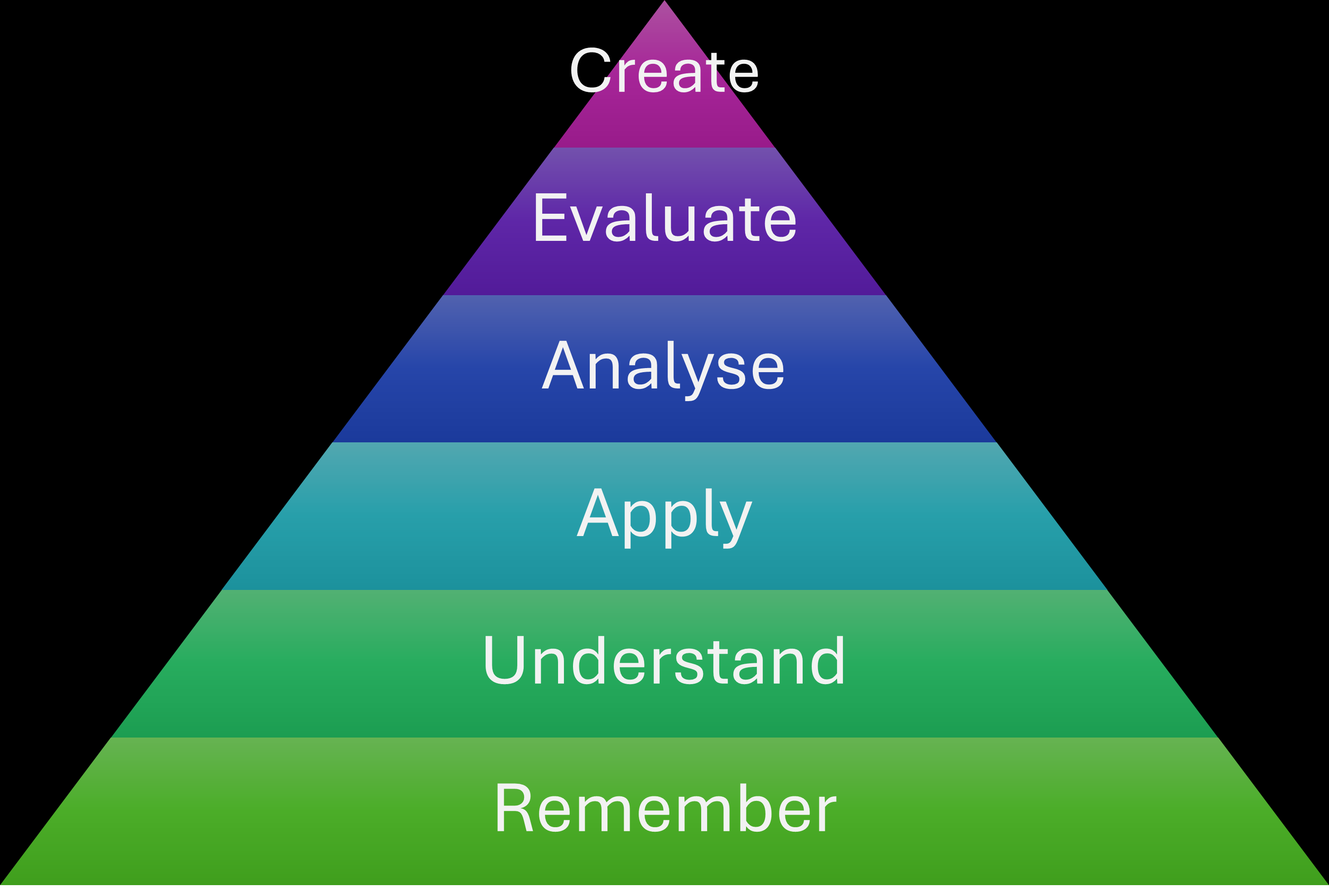 To show how Bloom's Taxonomy can be used with Mentimeter, the presenters asked us to be students. Using Mentimeter content slides, we were briefly shown the ingredients and the recipe to make Pan de Muerto. Then, using Mentimeter polling slides, we were tested to see if we could remember, understand, apply, analyse, evaluate, and (hopefully) create this sweet treat. We were tested on each section of the Bloom's Taxonomy using different polling slides. We had to 'identify' (remember) which ingredients were not part of the recipe.
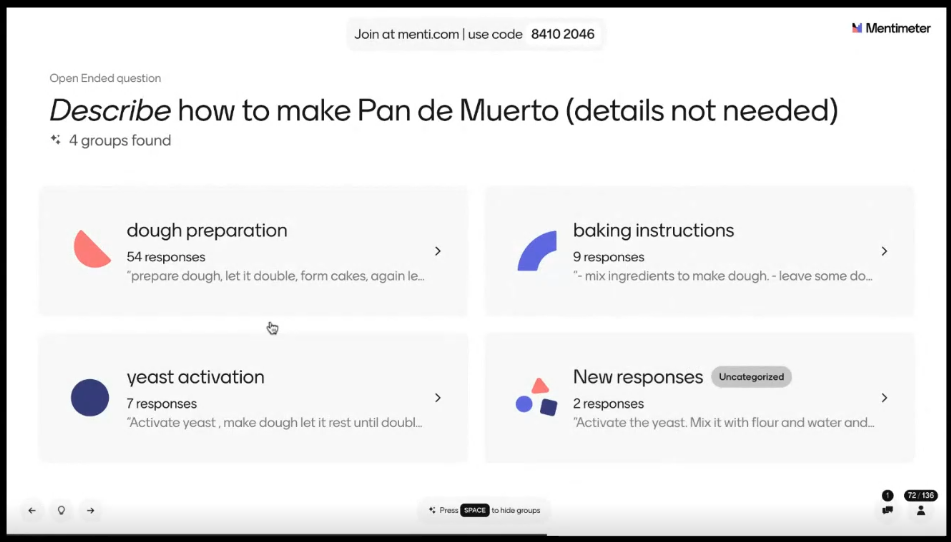
Then we had an open-ended question asking us to 'describe' (understand) how to make Pan de Muerto. A nice feature of Mentimeter allows you to group open-ended question responses together, and this functionality was used live in the webinar.
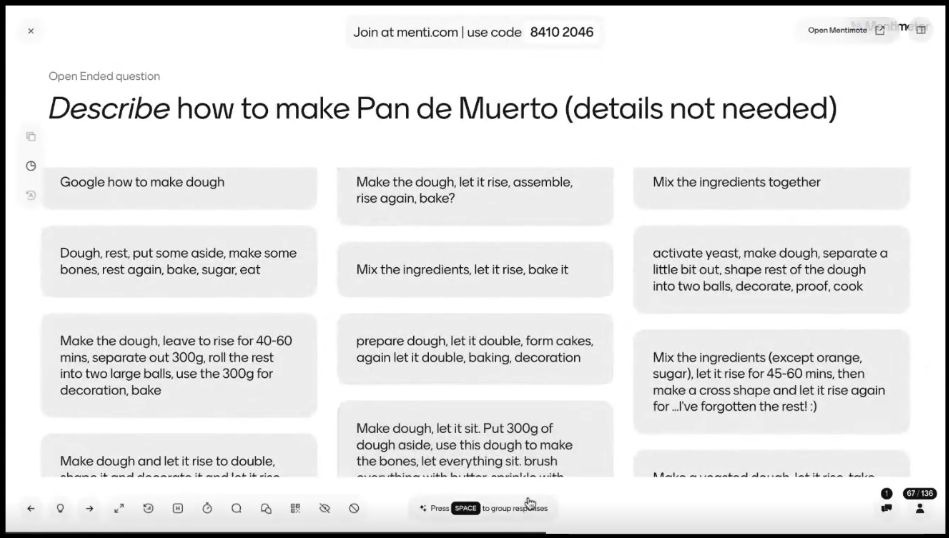
The presenter enabled the grouping feature (using the lightbulb icon, or the SPACE bar), and it grouped our responses together to form common themes - making it easier for the presenters to see how we had responded:
We moved onto the 'apply' section of the pyramid and were asked to solve a problem regarding the baking, using a Word Cloud polling slide. We covered the final three sections of Bloom's Taxonomy, and were asked to analyse, evaluate, and create a new version of Pan de Muerto - which took us to the top of the pyramid.
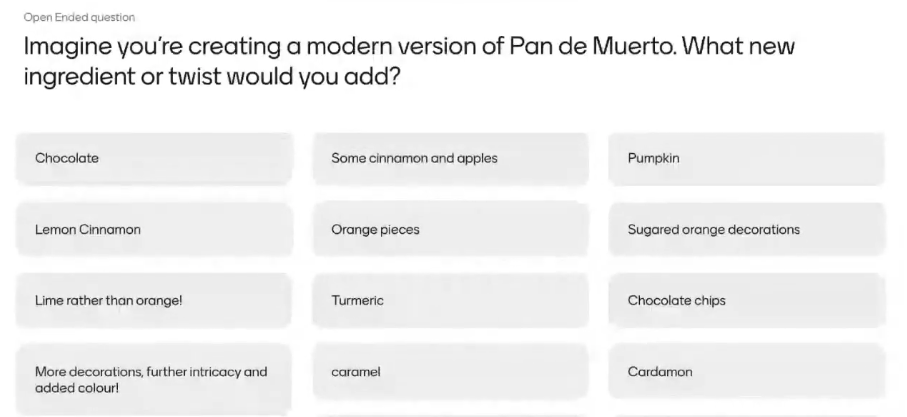
It was at this point that the presenters introduced another great feature of Mentimeter - you can add a follow up question during your live presentation, and ask for votes on a question that has just been responded to (again using the lightbulb icon). As an example, the presenters asked us to vote on the responses to our final 'create' question.
Summary
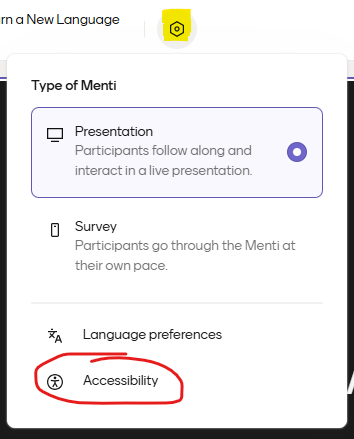
After a lot of learning, and finding out how to make a Pan de Muerto, the attendees were all Mentied-out! Before finishing however, we were reminded about the built-in accessibility checker in Mentimeter. When editing any Mentimeter slide deck, you can see how accessible your presentation is (and improve it) by using the settings icon:
All in all it was great to find out about different ways of using Mentimeter slides for teaching.
Related items
/filters:format(webp)/prod01/channel_262/queen-mary-university-of-london/media/qmul/media/news/items/pr/SML-badge-large.png)
 News story:
For media information, contact:
Catherine Mclean